Trending Now
Hand-picked hits everyone's playing this week







More Like This
Games you might also enjoy

Gossip Harbor®: Merge & Story

Heads Up!

Pixel Flow!

Match Factory!

Tasty Travels: Merge Game

Sonic Runners Adventure game
Hide and Go Seek: Monster Hunt
Super Bob Run
My Talking Tom
Terraria

Fluvsies - A Fluff to Luv

Red Ball 4

FNaF 6: Pizzeria Simulator
Talking Tom Hero Dash
Hill Climb Racing 2

Race Master 3D - Car Racing
Talking Tom Gold Run
Gabbys Dollhouse: Games & Cats
Muse Dash

Dress to impress
Bridge Race

Snake.io - Fun Snake .io Games

Pokémon UNITE
Agent Hunt - Hitman Shooter

Makerblox - Create Skins
Lyrebird Studio
Updated
Aug 10, 2026
Category
Game
Installs
10M+
Rating
Updated
Aug 10, 2026
Privacy Policy
View PolicyCategory
Game
Developer
Lyrebird Studio
Installs
10M+
Rating
Screenshots
6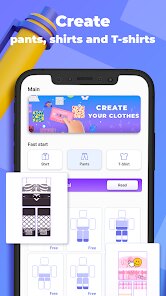
About This Game
WHY YOU'LL LOVE MAKERBLOX - CREATE SKINS
Design Without Limits
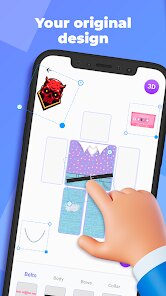
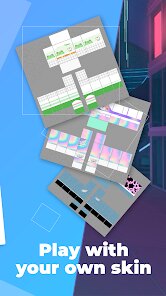
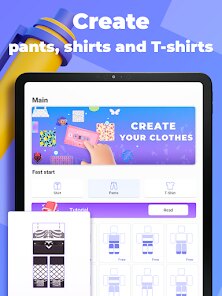
Bring original character ideas to life with an extensive collection of editing tools, colors, and clothing elements. Whether creating something simple or highly detailed, every project offers the freedom to experiment and develop a completely unique look.
Creativity Made Simple
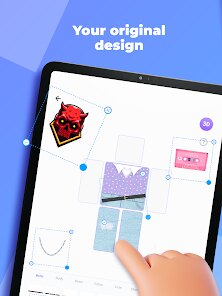
An intuitive editing experience makes skin creation approachable for beginners while still offering enough flexibility for more detailed designs. Clear controls and visual previews help transform ideas into polished creations without a steep learning curve.
Express Your Style
From bold color combinations to distinctive outfits and accessories, every design reflects a personal creative vision. The wide range of customization options encourages endless experimentation, making each finished skin feel truly one of a kind.
Endless Inspiration
With unlimited design possibilities and new concepts to explore, creativity never has to stop. Revisiting older creations, refining favorite designs, and trying fresh themes provide long-term value for anyone who enjoys character customization.
How to Play
Step 1: JUMP INTO THE ACTION
Step 2: Start Building Skins
Step 3: Create custom character skins from the ground up using a pixel-based editor. Every section of the character can be modified individually, making it easy to shape detailed designs from head to toe.
Step 4: Customize Every Pixel
Step 5: Fine-tune colors, patterns, facial expressions, clothing, and other visual details with precision editing tools. Small adjustments can dramatically change the final appearance, encouraging careful craftsmanship and creative experimentation.
Step 6: Preview Your Creations
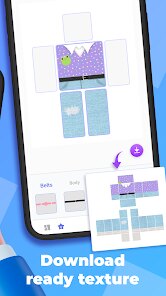
Step 7: View completed designs before saving to ensure every detail looks exactly as intended. Real-time previews make it easier to refine ideas, spot improvements, and polish each skin before finishing the project.
Step 8: Save and Expand
Step 9: Build a growing collection of original skins that can be revisited, refined, or used as inspiration for future projects. Every completed design adds to a personal creative library that continues to evolve over time.
Step 10: Keep Creating
Step 11: Every new project presents another opportunity to explore different styles, themes, and artistic ideas. Whether designing heroes, fantasy characters, casual outfits, or imaginative creations, the editor encourages continuous creativity with every session.