
If you've ever tried planning a road trip with 10, 20, or even 50 stops, you've probably discovered the biggest limitation of standard navigation apps: they're designed to get you from Point A to Point B, not help you efficiently manage an entire itinerary.
During our testing, we planned several multi-stop routes ranging from weekend scenic drives to cross-state road trips with dozens of attractions, restaurants, and overnight stops. We focused on the features that actually matter on the road:
Route optimization
Number of stops supported
Ease of trip planning
Navigation quality
Pricing transparency
Real-world usability
The results were surprisingly clear: some apps are fantastic for discovery and trip planning, while others are built for pure route efficiency.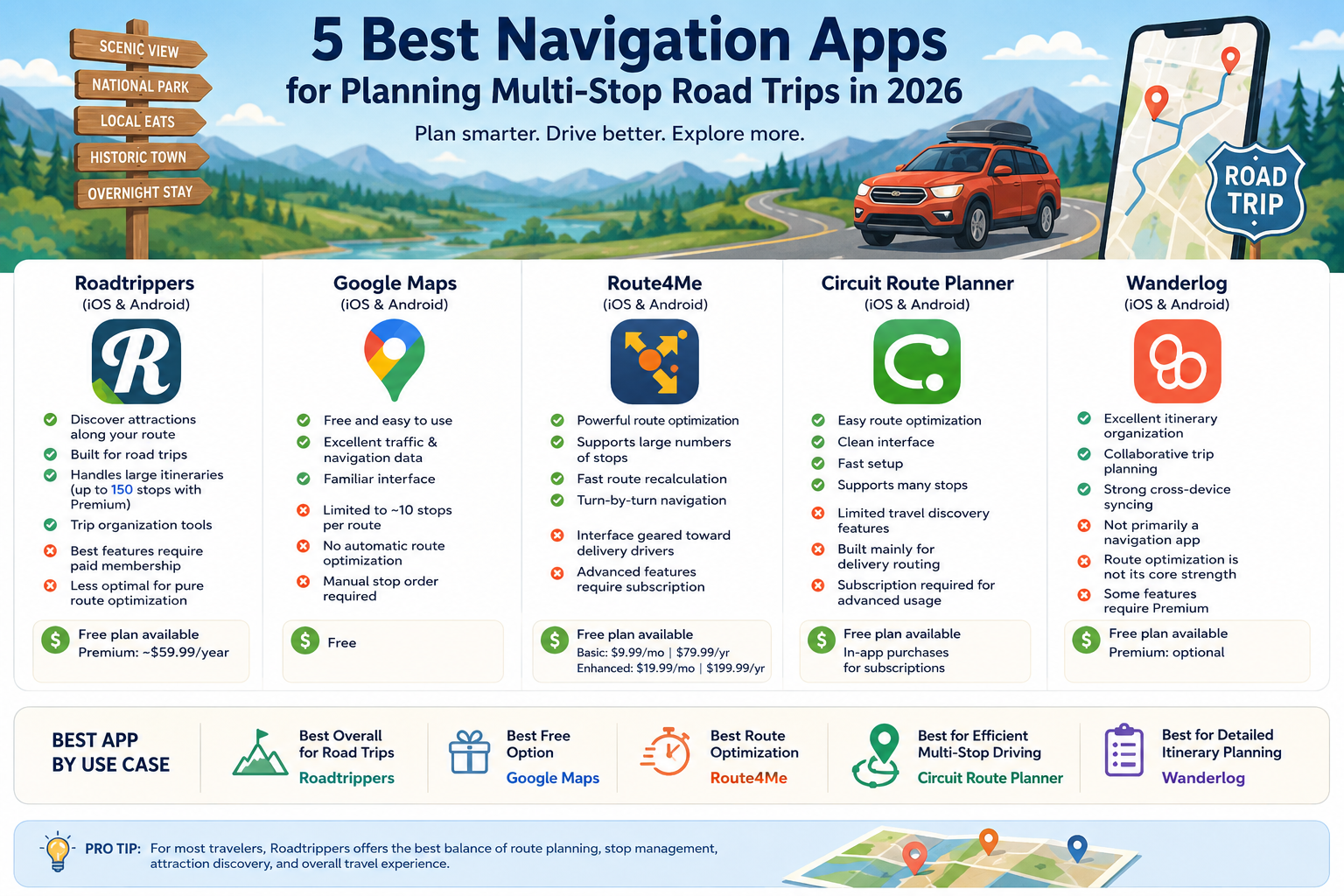
Roadtrippers isn't just a navigation app—it's a complete road trip planning platform.
When we tested it for a 1,200-mile Southwest road trip, it excelled at helping us discover attractions, scenic detours, restaurants, and hidden gems along the route. The trip-building interface feels purpose-built for travelers rather than delivery drivers. Roadtrippers supports multiple membership tiers, with higher tiers allowing significantly more stops per trip and additional planning features. Premium plans currently support up to 150 stops per trip.
Excellent for discovering attractions along the route
Designed specifically for road trips
Handles large, complex itineraries
Useful trip organization tools
Available on both iOS and Android
Best features require a paid membership
Not as powerful for route optimization as logistics-focused apps
Can feel overwhelming for simple trips
Free plan available
Paid memberships available
Premium membership: approximately $59.99/year at the time of writing
Travelers planning vacations, scenic drives, cross-country adventures, and attraction-heavy itineraries.
Google Maps remains the default choice for many travelers because everyone already has it installed.
For simple multi-stop road trips, it works well. Adding stops is straightforward, traffic data is excellent, and navigation is among the most reliable available. However, during testing, its biggest weakness became obvious: Google Maps does not optimize stop order and generally limits routes to 10 stops. You must manually arrange destinations yourself.
For a weekend road trip with a handful of stops, that's perfectly fine. For a 30-stop itinerary, it quickly becomes frustrating.
Free
Excellent traffic and navigation data
Familiar interface
Available on virtually every smartphone
Limited to approximately 10 stops per route
No automatic route optimization
Poor choice for complex itineraries
Free
Casual road trips with fewer than 10 destinations.
Route4Me approaches trip planning from a logistics perspective rather than a travel perspective.
When we loaded a 40-stop route into the app, Route4Me reorganized the itinerary in seconds to minimize driving time. The route optimization engine is genuinely impressive and is the app's biggest selling point. The company offers a free tier with limitations and paid plans for unlimited routes and stops.
This is the app we'd use if the primary goal were efficiency rather than sightseeing.
Outstanding route optimization
Supports large numbers of stops
Fast route recalculation
Turn-by-turn navigation built in
Interface feels geared toward delivery drivers
Less useful for discovering attractions
Advanced features require a subscription
Free plan available
Basic Plan: $9.99/month or $79.99/year
Enhanced Plan: $19.99/month or $199.99/year
Travelers trying to minimize driving time across many destinations.
Circuit Route Planner is well-known among delivery drivers, but it works surprisingly well for travelers managing a large number of stops.
In testing, the app's strength was simplicity. Enter a list of destinations, let Circuit optimize them, and start driving. It doesn't offer the attraction-discovery features of Roadtrippers, but it's much easier to use than many professional routing tools. Community recommendations frequently mention Circuit as a practical alternative when Google Maps becomes too restrictive.
Easy route optimization
Clean interface
Fast setup
Supports many stops
Travel discovery features are limited
Built primarily for delivery routing
Subscription required for advanced usage
Free version available
Subscription plans available through in-app purchases
Road trippers who care more about efficiency than sightseeing.
Wanderlog sits somewhere between a travel planner and a navigation tool.
During testing, it was particularly useful for organizing hotels, restaurants, attractions, reservations, and daily schedules into a single trip plan. While navigation itself relies on integrations with mapping services, Wanderlog excels at trip management.
For travelers who build detailed itineraries before leaving home, it's one of the most useful planning apps available.
Excellent itinerary organization
Collaborative trip planning
Helpful for complex vacations
Strong cross-device syncing
Not primarily a navigation app
Route optimization is not its core strength
Some premium features require payment
Free version available
Optional premium subscription
Travelers who plan every detail of a multi-day road trip.
If I could only recommend one app for planning multi-stop road trips in 2026, it would be Roadtrippers.
Why?
Because most road-trippers aren't trying to optimize deliveries—they're trying to create memorable journeys. Roadtrippers strikes the best balance between route planning, stop management, attraction discovery, and overall travel experience. It handles complex itineraries far better than Google Maps while remaining much more travel-focused than logistics apps like Route4Me.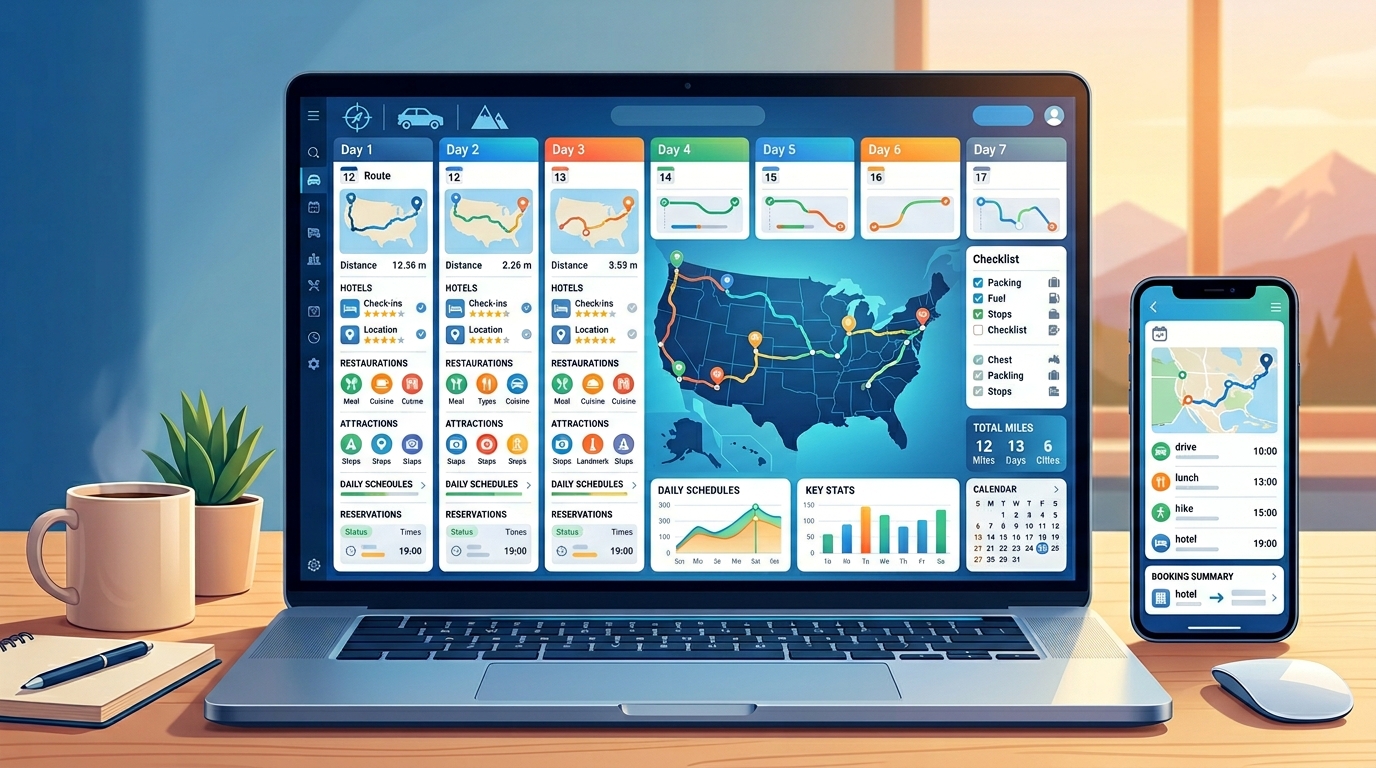
Best Overall for Road Trips: Roadtrippers
Best Free Option: Google Maps
Best Route Optimization: Route4Me
Best for Efficient Multi-Stop Driving: Circuit Route Planner
Best for Detailed Itinerary Planning: Wanderlog
For most travelers planning a multi-stop adventure across the United States, Roadtrippers offers the most complete package and delivers the biggest upgrade over simply relying on Google Maps alone.