
Why Mobile Artists Need More Than a Notes App
Mobile devices have evolved into legitimate creative tools. Today's smartphones and tablets can handle layered illustrations, high-resolution paintings, comic creation, concept art, and even professional client work.
The challenge is finding an app that balances powerful artistic tools with a smooth mobile experience. Some apps excel at quick sketching, while others offer desktop-class painting engines that can replace traditional drawing software entirely.
To identify the best digital sketchbook and painting apps, testing focused on:
Drawing and painting performance
Brush quality and customization
Layer management
Value for money
Suitability for mobile-first workflows
The following apps are actively maintained, available through the US Apple App Store and/or Google Play Store, and widely used by digital artists ranging from beginners to professionals.
Pricing
One-time purchase
The Reality Check: What Actually Works?
When testing digital art workflows on a smartphone, Procreate Pocket consistently delivered the most polished experience.
The app offers professional-grade brushes, layers, blending modes, time-lapse recording, and responsive performance that feels remarkably close to desktop software. Even complex illustrations remained smooth on modern iPhones.
For artists who prefer drawing directly on a phone rather than a tablet, few competitors offer the same combination of power and simplicity.
Pros
One-time purchase
Exceptional brush engine
Fast and responsive
Professional layer system
Time-lapse recording
No subscription
Cons
iPhone only
No Android version
Smaller workspace than tablet-focused apps
Verdict
For smartphone artists, Procreate Pocket remains one of the strongest drawing apps available.
Pricing
Free
The Reality Check: What Actually Works?
SketchBook has long been one of the most approachable digital drawing apps.
Testing showed that it excels at sketching, concept development, and quick ideation. The interface stays out of the artist's way, making it easy to focus on drawing rather than navigating menus.
Its brush engine is surprisingly capable for a free app, and support for layers allows projects to grow beyond simple sketches.
Pros
Completely free
Available on iOS and Android
Clean interface
Good brush selection
Strong sketching workflow
Cons
Fewer advanced features than Procreate
Smaller brush ecosystem
Limited professional export options
Verdict
SketchBook remains one of the best free drawing apps available.
Pricing
Free
Optional premium subscription
In-app purchases available
The Reality Check: What Actually Works?
ibis Paint X is particularly popular among manga artists, comic creators, and social media illustrators.
During testing, its massive brush library stood out immediately. The app includes hundreds of brushes, screen tones, rulers, and comic-focused tools that make it especially attractive for stylized artwork.
Its tutorial ecosystem is another major advantage. Thousands of artists share workflows specifically built around ibis Paint.
Pros
Huge brush library
Excellent manga tools
Strong community support
Available on both platforms
Free entry point
Cons
Advertisements in free version
Interface can feel crowded
Subscription unlocks some advanced features
Verdict
For comic artists and anime-inspired creators, ibis Paint X is one of the strongest options available.
Pricing
Free trial
One-time purchase available
The Reality Check: What Actually Works?
Infinite Painter impressed during testing because it offers an unusually strong balance between accessibility and professional features.
The brush engine feels natural, perspective guides work well, and the layer system supports surprisingly sophisticated artwork. Many artists consider it one of the closest Android alternatives to Procreate.
For mobile painters who want advanced functionality without committing to a subscription, it deserves serious consideration.
Pros
Excellent painting engine
Strong brush customization
Perspective and symmetry tools
Available on Android and iOS
One-time purchase option
Cons
Smaller community than Procreate
Occasional performance inconsistencies on older devices
Fewer educational resources
Verdict
Infinite Painter is arguably the best professional painting app available across both major mobile platforms.
Pricing
Free
Optional subscription
Optional one-time purchases available
The Reality Check: What Actually Works?
During testing, Concepts stood out because it approaches sketching differently from traditional painting apps.
Instead of using a fixed-size canvas, Concepts provides an infinite canvas that allows artists to sketch, brainstorm, storyboard, design products, create concept art, or develop illustrations without worrying about workspace limitations.
Its vector-based drawing engine is particularly useful. Strokes remain editable after being created, making it easy to refine sketches without starting over. For designers, architects, industrial artists, and visual thinkers, this flexibility can dramatically speed up the creative process. Concepts offers free core features, while premium tools are available through subscriptions or one-time purchases.
Pros
Available on iOS and Android
Infinite canvas
Editable vector strokes
Excellent stylus support
Free version is highly usable
One-time purchase options available
Cons
More focused on sketching and design than digital painting
Some advanced tools require payment
Vector workflow may feel unfamiliar to traditional painters
Verdict
For artists who sketch ideas, design concepts, storyboards, or visual plans on the go, Concepts is one of the most versatile mobile sketchbooks available today.
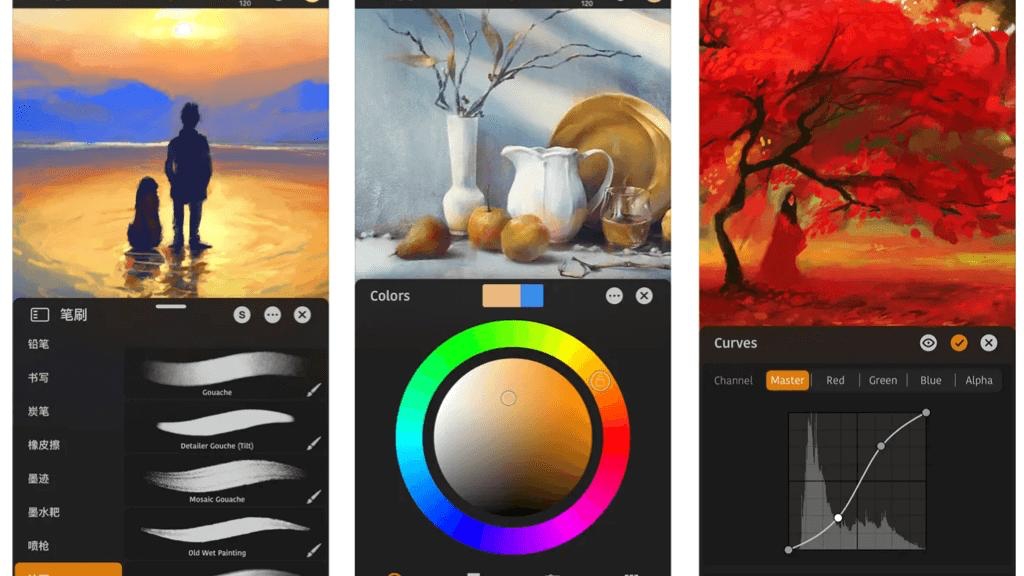
For mobile artists, the best app depends largely on device choice and artistic goals.
Best Overall Mobile Art App
Procreate Pocket
Few phone-based apps offer such a complete artistic toolkit.
Concepts
Its infinite canvas, editable vector workflow, and availability on both iOS and Android make it one of the most flexible sketching tools for mobile creators.
Best Free Drawing App
Autodesk SketchBook
Best for Manga and Comic Artists
ibis Paint X
Best Cross-Platform Painting App
Infinite Painter
For most mobile artists in 2026, the strongest combination is Concepts + Infinite Painter. Concepts excels at ideation, sketching, and visual planning, while Infinite Painter provides a more traditional painting workflow with advanced brushes, layers, and professional art tools across both iOS and Android.