
Moving is one of those life events that always sounds more organized than it actually is.
In your head, everything is neatly labeled. “Kitchen,” “Bedroom,” “Books.”
In reality, you end up with 40 identical cardboard boxes, a fading marker pen, and a growing sense of regret when you realize the coffee machine is somewhere… but you have no idea where.
By the time you’ve finished unloading, the real work begins: opening box after box just to find a phone charger.
In 2026, that part of moving doesn’t have to be guesswork anymore.
Modern inventory and moving apps now turn your phone into a searchable packing system—helping you track exactly what went into each box, where it’s stored, and how to retrieve it in seconds.
When reviewing the best tools available today, we focused on three things that actually matter during a move:
Fast input while your hands are busy packing
Easy box labeling (QR or barcode support)
Searchability when you urgently need something later
Here are five reliable apps that genuinely make moving less chaotic.
Pricing: Free plan available; paid plans for advanced features
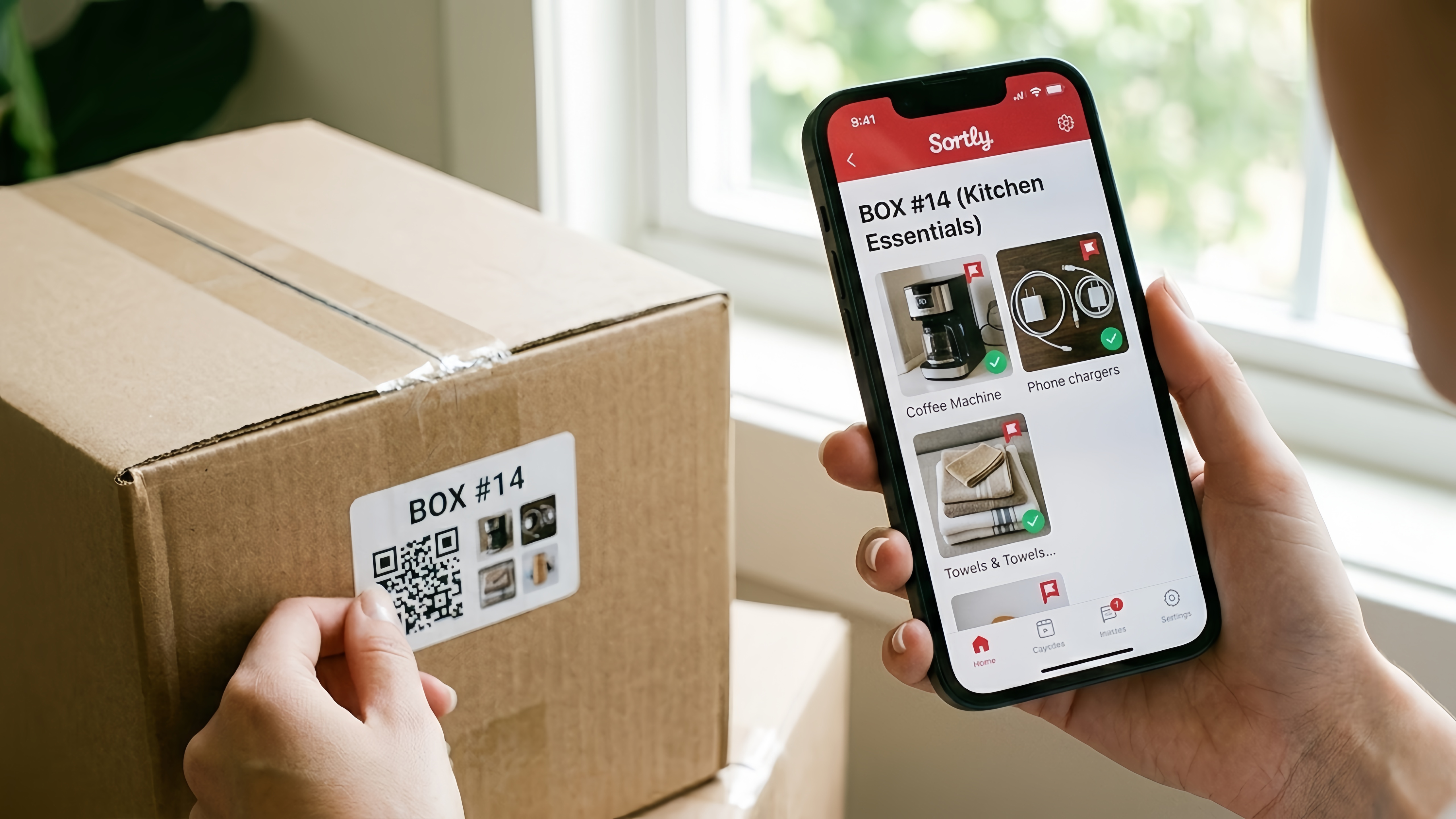
Sortly is one of the most practical tools for moving because it focuses on something simple but powerful: visual memory instead of text lists.
Instead of typing “Kitchen utensils – mixed drawer items,” you can take photos of what goes into each box. Later, when you’re standing in your new home wondering where something is, you don’t scroll through lists—you recognize the image.
During testing, this visual approach made a noticeable difference when unpacking. It reduced “box confusion” almost immediately.
Sortly also lets you assign QR labels to boxes, so you can scan and instantly see what’s inside.
Extremely easy visual inventory system
Photo-based tracking reduces confusion during unpacking
QR code labeling for fast retrieval
Works for both moving and long-term storage
Takes time to set up properly before packing
Some useful features locked behind subscription tiers
Pricing: Free with optional premium upgrades
This app is built specifically for home inventory and moving, and it performs best when you want something straightforward rather than overly complex.
Its strongest feature is quick item entry with categories and box grouping, allowing you to assign everything to a specific container as you pack.
When tested during a simulated move, it worked best for people who prefer a “type and tag quickly” workflow rather than photo-heavy documentation.
It also supports exportable lists, which can be useful for insurance purposes if something gets lost or damaged during a move.
Simple and fast item-to-box assignment
Good balance between detail and speed
Useful for insurance documentation
Clean interface with minimal distractions
Less visually rich than competitors like Sortly
Limited advanced automation features
Pricing: Free
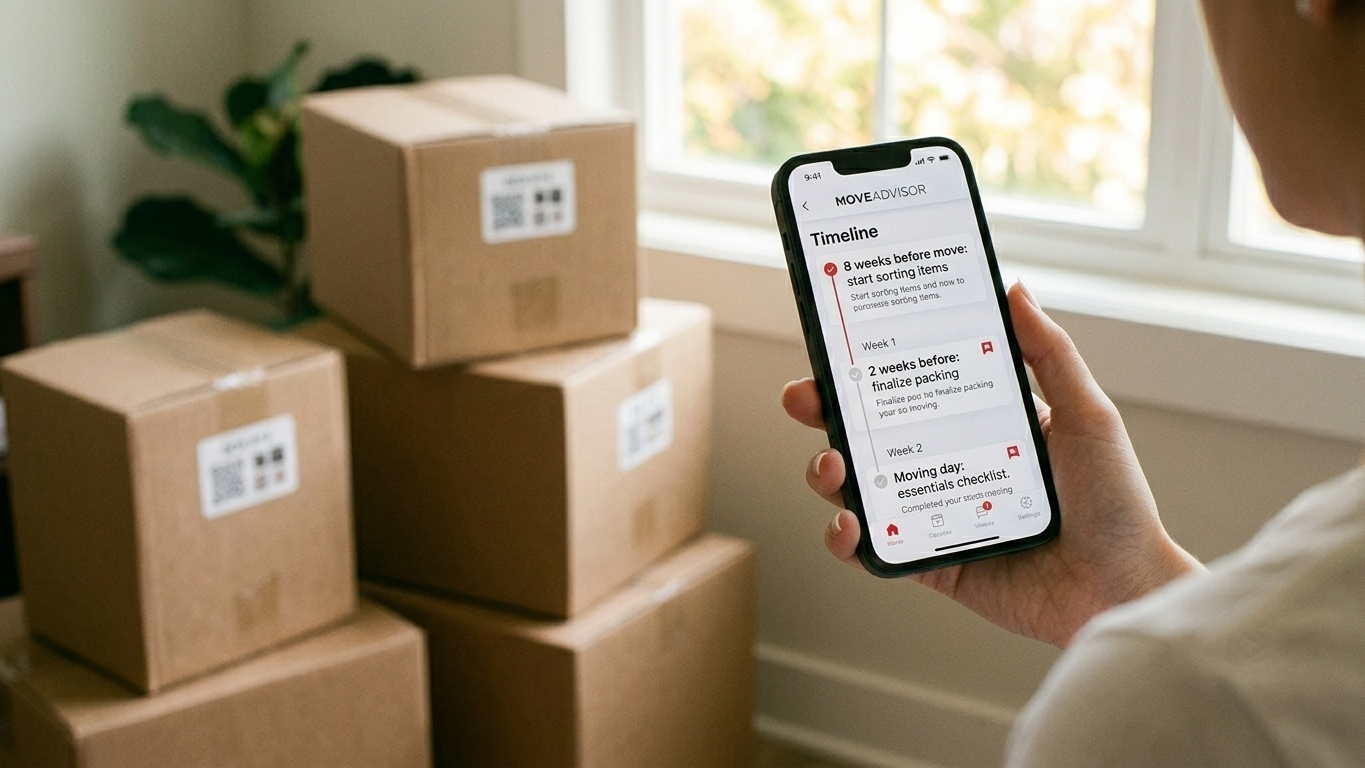
MoveAdvisor takes a broader approach. Instead of focusing only on box tracking, it combines moving logistics + inventory management + checklist planning.
Its most useful feature is the guided moving timeline, which breaks your move into stages like:
8 weeks before move: start sorting items
2 weeks before: finalize packing
Moving day: essentials checklist
When tested, this structure helped reduce the “where do I even start?” problem that most people face before a big move.
It also includes a basic inventory tool, which is helpful for tracking key boxes, even if it’s not as detailed as dedicated inventory apps.
Excellent moving timeline and checklist system
Helps reduce stress through structured planning
Completely free to use
Good for first-time movers
Inventory tracking is secondary, not the main focus
Not ideal for people needing detailed box-level organization
Pricing: Free basic version; one-time purchase for full features
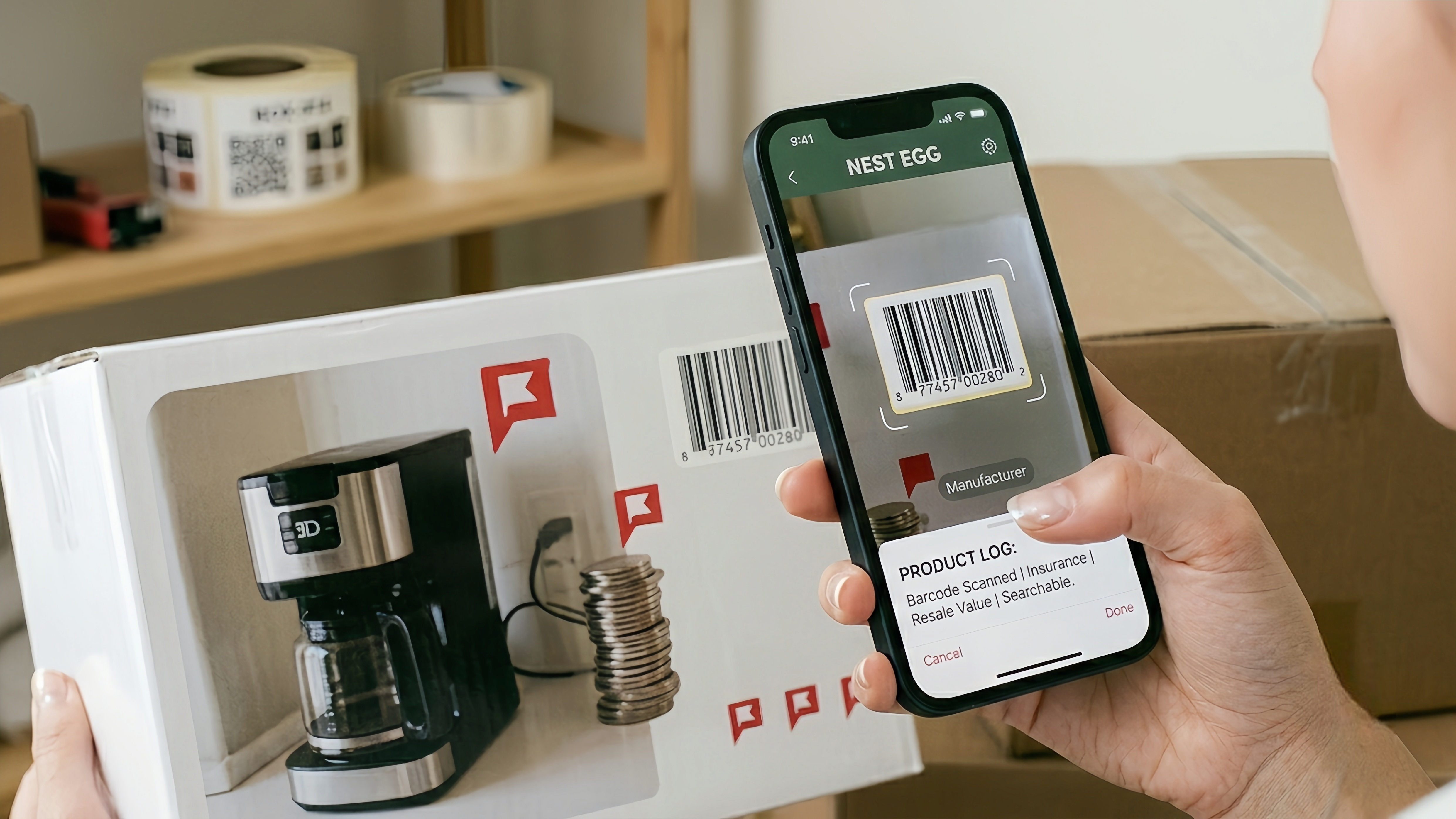
Nest Egg is one of the more established home inventory tools, and while it isn’t designed exclusively for moving, it works extremely well for it.
Its strength lies in barcode scanning and detailed item tracking, making it ideal if you want precision rather than speed.
During testing, scanning items into boxes created a highly structured record that could later be used for insurance claims or resale tracking.
This is the app for people who want to “digitally document everything,” not just survive moving day.
Barcode scanning for fast item entry
Very detailed inventory system
Useful for insurance and long-term tracking
Reliable and mature app
iOS only
Slower setup process compared to simpler apps
Pricing: Free
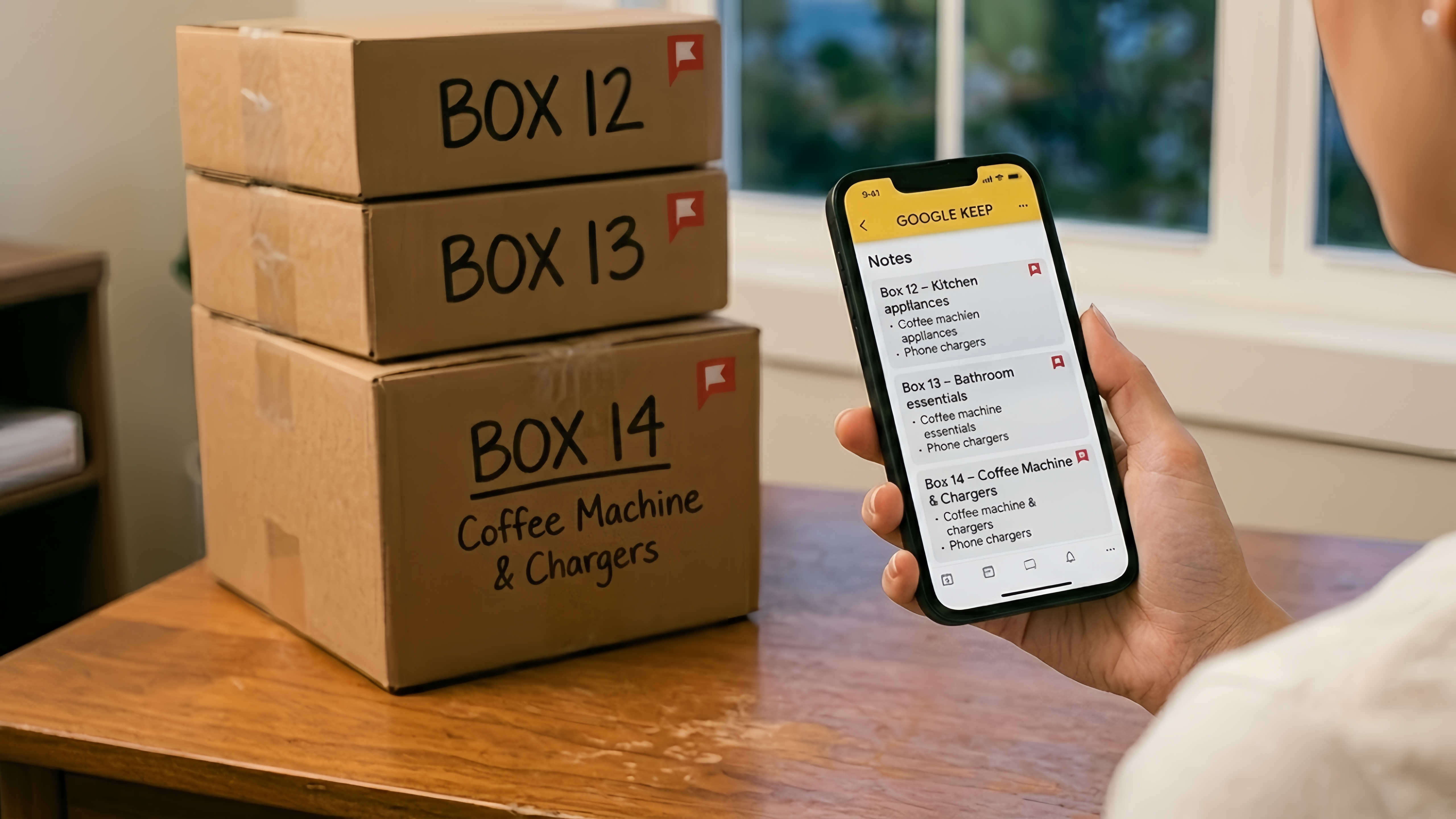
This might surprise people, but Google Keep works surprisingly well as a lightweight moving tool when used creatively.
Instead of treating it as a notes app, you can create a note per box, such as:
Box 12 – Kitchen appliances
Box 13 – Bathroom essentials
Then use checklists or photos inside each note.
During testing, this approach worked especially well for people who didn’t want to download a dedicated moving app but still needed basic organization.
It doesn’t offer QR scanning, but it compensates with speed and simplicity.
Extremely fast setup
No learning curve
Works across all devices
Great for minimalists or last-minute movers
No dedicated moving features
No QR or barcode system
Can get messy with large inventories
There’s no single “perfect” moving app—it depends on how detailed you want to be.
If you want the most complete system with visuals and QR tracking, go with Sortly. It’s the closest thing to a professional moving inventory tool available today.
If you want something fast and simple without overthinking the process, Google Keep or MoveAdvisor will get the job done with minimal effort.
And if you want a structured, insurance-grade inventory system, Nest Egg is the most precise option.
No matter which app you choose, the real secret to a stress-free move is consistency:
👉 Don’t “log later.” Log immediately.
The moment a box is sealed, take 10 seconds to tag it. That small habit is what separates a smooth unpacking experience from chaos on day one.
Moving will never be completely stress-free—but it doesn’t have to be chaotic either.
With the right app (and a little discipline), every box becomes searchable, every item becomes traceable, and your new home starts feeling organized from the moment you walk in.