
If your team is still emailing files called Final_v2_Actual_Final.docx, you already know how quickly things can spiral. Someone edits the wrong version, another person forgets to reply-all, and before long nobody is quite sure which document is the latest. It works—for a while. As teams grow, though, that workflow becomes less of an inconvenience and more of a daily bottleneck.
Modern cloud storage isn't just about having a place to keep files. The best platforms let people work in the same document at the same time, manage permissions without headaches, and keep everything organized no matter where the team is working. We looked at the leading cloud storage apps on the US App Store to see which ones genuinely improve collaboration, rather than simply giving you another online folder.
OS Availability: iOS / Android
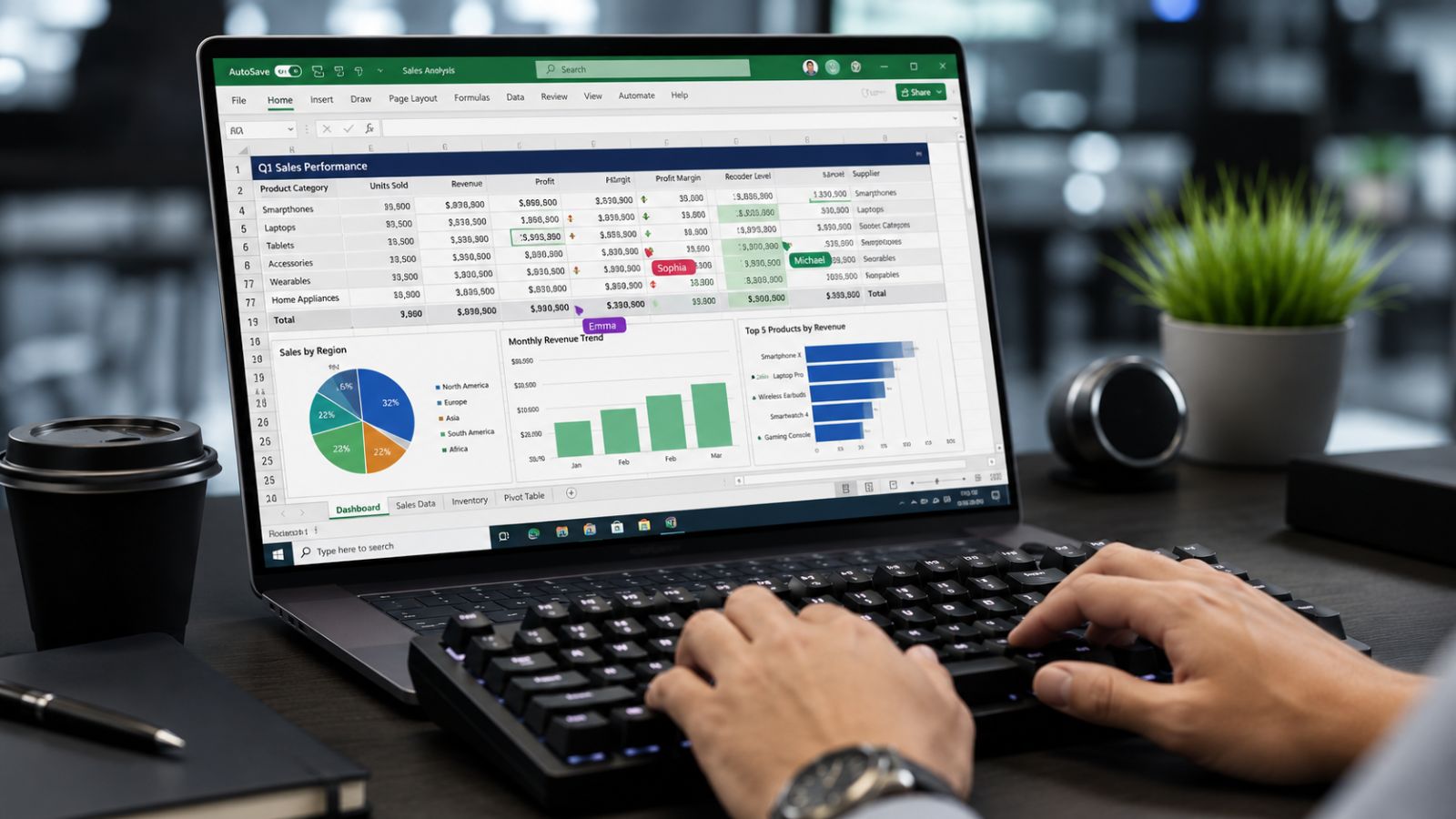
If your company already relies on Microsoft 365, OneDrive feels like a natural extension of the tools you're already using. Instead of jumping between separate apps, documents stay connected to Word, Excel, PowerPoint, and the rest of the Microsoft ecosystem.
Where It Shines
Real-time co-authoring is where OneDrive really earns its place. Multiple people can work inside the same document simultaneously, watching edits appear as they happen instead of waiting for updated attachments to arrive. For teams that spend most of their day inside spreadsheets, reports, or presentations, that alone can eliminate a surprising amount of back-and-forth.
Pricing: Free with 5 GB of storage; Microsoft 365 subscription required for additional storage and business features.
Pros:
Deep integration with Microsoft 365 applications.
Flexible sharing and permission controls.
Files On-Demand saves local disk space while keeping cloud files accessible.
A Few Things to Know
If you don't already use Microsoft's productivity suite, the interface can feel a little overwhelming compared with simpler storage services.
OS Availability: iOS / Android
Dropbox has been around for years, and there's a reason so many creative teams continue to rely on it. Rather than trying to become an all-in-one office suite, it has stayed focused on what it does exceptionally well: syncing files quickly and reliably.
Where It Shines
One of Dropbox's biggest advantages is its Delta Sync technology. Instead of uploading an entire file every time you make a small edit, it transfers only the portions that have changed. If your team regularly works with large Photoshop projects, video files, or design assets, those time savings add up quickly.
Pricing: Free Basic plan available; paid plans for individuals and businesses.

Pros:
Fast, dependable synchronization across devices.
Dropbox Replay makes reviewing videos and creative projects much easier.
Excellent support for large and specialized file formats.
A Few Things to Know
Dropbox's collaboration tools are strongest for media workflows. If your work revolves around document editing rather than creative assets, other platforms may offer tighter integration.
OS Availability: iOS
For organizations where security isn't optional, Box continues to be one of the strongest enterprise choices available. Healthcare providers, law firms, financial institutions, and large corporations often choose it because governance is built into the platform from the ground up.
Where It Shines
Permission controls go far beyond basic file sharing. Teams can manage access at a very granular level, monitor activity through detailed audit logs, and meet compliance requirements that many smaller platforms simply aren't designed to handle. Box AI also adds practical tools for summarizing lengthy documents and pulling key information from large files.
Pricing: Free tier available; Business and Enterprise subscriptions required for advanced capabilities.

Pros:
Excellent security and compliance features, including HIPAA and GDPR support.
Box Hubs simplify project organization.
Integrates with more than 1,500 business applications.
A Few Things to Know
Unless your organization needs advanced security or regulatory compliance, many of Box's enterprise features may be more than you actually need.
OS Availability: iOS / Android
Google Drive has become the default workspace for countless startups, remote teams, and small businesses—and it's easy to understand why. Almost everyone already has a Google account, so getting started usually takes just a few clicks.
Where It Shines
For collaborative work, Shared Drives are one of its biggest strengths. Unlike personal folders tied to individual employees, Shared Drives belong to the organization itself. That means files stay with the team even if someone changes roles or leaves the company, making long-term collaboration much easier to manage.
Pricing: Free with 15 GB of storage; Google Workspace subscription required for business features.

Pros:
Excellent collaboration through Docs, Sheets, and Slides.
Powerful search capabilities that make locating files fast.
Easy onboarding for teams already using Gmail or Google Workspace.
A Few Things to Know
Organizations with strict privacy requirements may prefer platforms that place a stronger emphasis on enterprise data governance.
OS Availability: iOS / Android
pCloud doesn't receive as much attention as some of the bigger names, but it's a strong option for teams that prioritize straightforward file storage and media management over document collaboration.
Where It Shines
One feature that immediately stands out is its lifetime storage option for individual users, offering an alternative to the endless cycle of monthly subscriptions. It also includes a built-in media player, making it easy to preview videos and audio files directly from cloud storage without downloading them first.
Pricing: Free tier available; Business plans offered through subscriptions.
Pros:
Built-in media streaming for audio and video.
Optional client-side encryption for sensitive files.
Particularly useful for teams managing large media libraries.
A Few Things to Know
While pCloud excels as a storage platform, it doesn't offer the same level of real-time document collaboration found in Microsoft 365 or Google Workspace.
In most cases, the best choice isn't the one with the longest feature list—it's the one that fits naturally into the way your team already works.
If your organization relies on Microsoft 365 every day, OneDrive is the obvious fit. The seamless collaboration inside Word, Excel, and PowerPoint makes it difficult to beat.
For startups, marketing teams, and businesses that spend most of their time creating shared documents, Google Drive remains one of the easiest platforms to adopt. Teams working with massive design files, videos, or creative assets may find Dropbox a better match thanks to its fast syncing and media-focused workflow.
If compliance, audit trails, and security requirements drive your purchasing decisions, Box continues to set the benchmark for enterprise collaboration.
One final thought: before comparing storage limits or subscription prices, look at how your team actually works. Faster collaboration rarely comes from having another terabyte of storage—it comes from spending less time searching for files, resolving version conflicts, and asking, "Who's editing the latest copy?"